
Category: TUTORIAL
-
Video: Using the Korg nanoKontrol 2 with REAPER
Learn how to set up the Korg nanoKontrol 2 with REAPER to control your tracks in this video tutorial by David Bode.
-
Video: Advanced Click Tracks
Learn how to create your own custom click tracks/metronome groove in REAPER.
-
Using Native Instruments Maschine as a VST in REAPER
Chris Caulder explains step by step how to set up REAPER and MASCHINE for fast sequencing and loop making.
-
REAPER 101: Mixer Control Panel
Explaining the various buttons and options of the Mixer Control Panel in REAPER
-
Video: Working with Loops in REAPER
I had a few people asking about working with loops and project timebase lately. “Why is/isn’t my audio stretching when I change the tempo?” etc. In this short video I explain a few things you need to know about working with loops in REAPER – changing project tempo to match loops; stretching loops to match…
-
Video: Saturation Plugins in REAPER
This video is a follow up to the recent mixing video and compares several saturation plugins including two included with REAPER. FX bypass in the Project Bay is also demonstrated.
-
Video: Acoustic mix with only REAPER plugins
A mix dissection for an acoustic song using only REAPER’s included plugins.
-
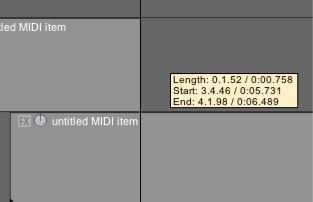
A shortcut for creating blank MIDI items
Learn the shortcut for creating blank MIDI items that will save you time every day.
-
Using Multiple Audio Devices in REAPER (OSX)
Questions like this come up fairly often, “I was wondering how to set it up so i can have the play back come through my laptop headphone jack (or speakers) instead of through the interface.” Ideally the user would just plug his headphones into the interface. If for some reason that is not an option,…
-
Video: Mac Pro Video Reaper 101 tutorial series
Mac Pro Video has released Reaper 101: Introduction to Reaper, hosted by Gary Hiebner. This is the first of 4 sets of tutorials. Watch 3 preview videos here.
-
Video: Automating Plugins (From Reaper Tips & Tricks)
Here’s a preview of Groove 3 Reaper Tips & Tricks with Kenny Gioia, demonstrating how to use automation with your plugins.