
Category: QUICK TIP
-
Quick Tip – ‘Pencil Tool’ Workflow in REAPER
Jon shows how to configure REAPER for “Pencil Tool” editing of audio.
-
Quick Tip: Complete REAPER Backup
In this Quick Tip tutorial Jon explains the how and why of backing up your whole REAPER folder to Dropbox using Automator.
-
Quick Tip: Reposition Items
Several viewers have suggested a better way of removing silence for a whole track at once using the Reposition Items action. Here’s a look at that in action plus using it to add space between items.
-

Quick Tip: Flying Edit
In this quick tip tutorial Jon shows a simple way to replace bad notes in a performance using a drag and drop technique.
-
Quick Tip: Phase Alignment Trick
In this REAPER Blog Quick Tip Tutorial Jon demonstrates an easy way to phase align recorded guitar mics.
-

Video: 5 Tips in the REAPER Mixer
Five tips to get you working faster than ever in the REAPER mix window.
-
Video Quick Tip: Compressor Release Times
In this video quick tip I show an easy way to find an ideal compressor release time for your percussive tracks.
-
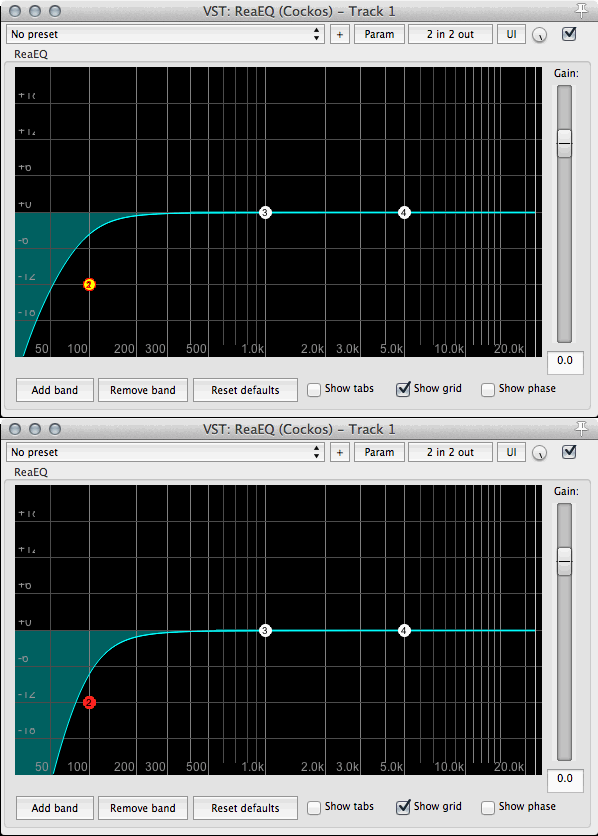
Quick Tip: 24dB per octave filters in ReaEQ
How to increase the steepness of ReaEQ filters.
-
Quick Tip: Move and Copy Items Vertically
In this video quick tip I show you how to move items up and down across tracks without losing the time position, using mouse modifiers.
-
Video Quick Tip: Implode Items to Takes
In this video I show you how to import multiple audio files into separate takes on a single track. I also show you a custom action to really make this fast.
-
Video Quick Tip: Render Item As New File
How to use the Render item as new file action as a mouse modifier. See it in use for programming MIDI with EZDrummer 2.
-
REAPER Quick Tip – A/B Compare Plugins
In this short tutorial I show you how to quickly compare plugins within a chain. This is super useful when in a mix, trying out different compressors or EQ or many effects at once and need to quickly toggle between 2 different configurations. I hope you find this useful.