
Category: TUTORIAL
-
Video: Acoustic mix with only REAPER plugins
A mix dissection for an acoustic song using only REAPER’s included plugins.
-
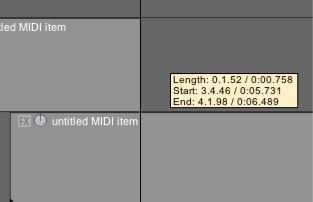
A shortcut for creating blank MIDI items
Learn the shortcut for creating blank MIDI items that will save you time every day.
-
Using Multiple Audio Devices in REAPER (OSX)
Questions like this come up fairly often, “I was wondering how to set it up so i can have the play back come through my laptop headphone jack (or speakers) instead of through the interface.” Ideally the user would just plug his headphones into the interface. If for some reason that is not an option,…
-
Video: Mac Pro Video Reaper 101 tutorial series
Mac Pro Video has released Reaper 101: Introduction to Reaper, hosted by Gary Hiebner. This is the first of 4 sets of tutorials. Watch 3 preview videos here.
-
Video: Automating Plugins (From Reaper Tips & Tricks)
Here’s a preview of Groove 3 Reaper Tips & Tricks with Kenny Gioia, demonstrating how to use automation with your plugins.
-
Video: SWS Snapshots
In this video from the Groove3 REAPER Advanced series, host Kenny Gioia demonstrates the Snapshots function. Snapshots are clearly the most powerful feature in this set. Learn how to create and use these for mixing, importing and sharing all of your favorite settings. This is a must watch.
-
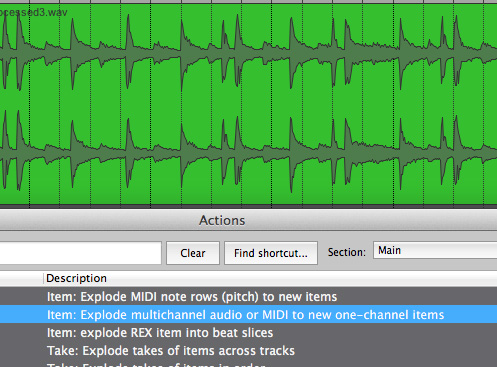
How to separate stereo files to dual mono
Previously we explained working with multi-mono files, and how to convert them to interleaved stereo. Sometimes we need to do the opposite, take apart an interleaved stereo file into two mono files. This tutorial will explain two ways to do this in REAPER 4.
-
Video: How To Use Reaper’s “ReaComp” Compressor Plugin
In this Quick Tip video from AudioTuts, Ken Theriot demonstrates how to use the ReaComp compressor plugin in REAPER on a vocal.
-
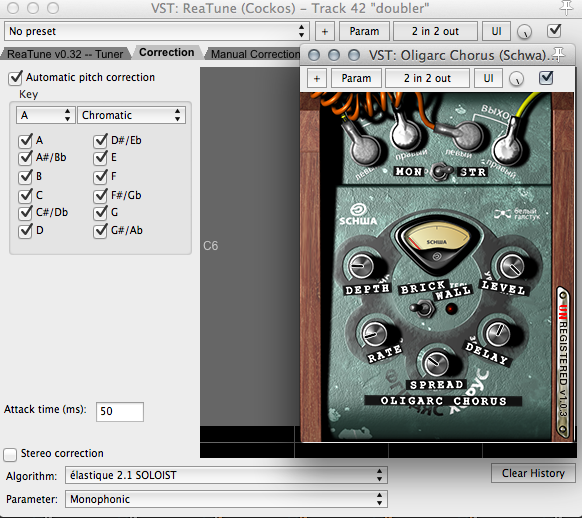
Vocal doubling trick with ReaTune
How to make a thick doubled vocal effect using ReaTune and chorus plugins
-
Video: Slate Digital SSD 4 – Multi-Output Tutorial
The Slate Digital team put up a really quick tutorial for setting up SSD4 multichannel routing in REAPER. This isn’t how I set up SSD4 for my sessions but I just like things a certain way. After you follow the instructions in the video, name the tracks, put them in a folder and then save…
-
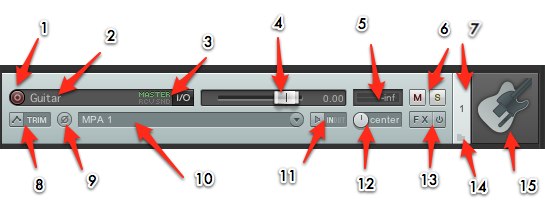
REAPER 101: The Track Control Panel
REAPER 101 is a series of short articles to help beginners get started with REAPER quickly. This tutorial will explain the various buttons and options of the Track Control Panel.
-
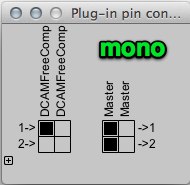
This tip could save up to 50% CPU in your next mix
In REAPER all tracks are stereo. When you add an effect it’s also stereo. If you work primarily with mono source files you can force your plugins to only process the first channel and save a bunch of power. Not all plugins come in mono and stereo versions so in a lot of cases we’re…