
Category: VIDEO
-
Paste to fill selection (special paste) custom action
This custom action makes it simple to fill spaces in your recording with ‘clean’ room tone.
-
What’s New in REAPER 6.11 – mixer scroll fix, more metadata functions, global color adjust
Learn about the latest changes in REAPER version 6.11 update including global theme color adjustments, improved mixer scrolling, and more wildcards and metadata functions
-
How to use Screensets in REAPER
Screensets are one of my favorite features in REAPER and one of the best ways to customize the REAPER interface to suit the task at hand. learn more in this new tutorial
-
New features in REAPER 6.10 | Metadata embedding and more
The 6.10 update is out now and the big new feature is Metadata embedding in rendered / batch converted files.
-
Intro to Reaticulate tutorial
Learn how to get started with the Reaticulate script for managing MIDI instrument articulations in REAPER.
-
How To Install REAPER Extensions
There are two types of extensions for REAPER. One kind unlocks media encoding and decoding options, the other kind adds new features and tools to REAPER. In this video you’ll learn how to install 4 extensions for REAPER: VLC, FFMPEG, SWS, and ReaPack.
-
SSD5.5 Free Template for REAPER + How to import MIDI Grooves
Learn how to set up Multi-outs with SSD5, and to save you time I’m sharing my template. Plus, how to set up external MIDI Groove packs to appear in the SSD5 library, and more
-
What’s New in REAPER 6.09 – Take markers!
The 6.09 update is here and it brings the great new Take Markers feature. We’re going to check that out and other things you may have missed from recent updates
-
Let’s Play: 106 Factory A soundpack for TAL U-NO-LX
Jon tries the new free sound pack for U-NO-LX from Oblivion Sound Labs
-
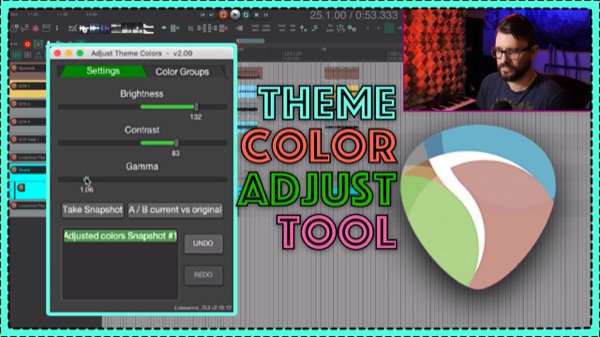
Amagalma’s Adjust Theme Colors script
A REAPER script for quick adjustment of various theme elements with built-in snapshot and a/b comparisons.
-
Sitala Multi-channel output routing
Sitala is a great free drum sampler to use with REAPER. Here’s how to set up separate outputs for each drum pad in REAPER.
-
Using Templates in REAPER – Presets, FX Chains and more
Learn about the 4 types of presets and templates you’ll use in REAPER, from plugin presets to project templates.