
Category: VIDEO
-
Quick Tip: Phase Alignment Trick
In this REAPER Blog Quick Tip Tutorial Jon demonstrates an easy way to phase align recorded guitar mics.
-
Video: The Monitoring FX Chain
Video tutorial explaining the Monitoring FX Chain feature in REAPER.
-
Video: ReaSynth and ReaSynDr plugin demo + 10 free presets
Video overview and demo of ReaSynth and ReaSynDr plugins.
-

Video: 5 Tips in the REAPER Mixer
Five tips to get you working faster than ever in the REAPER mix window.
-

Video: Helgoboss Playtime Plugin Demo
Video tutorial for the sequencer plugin Playtime.
-
Video Quick Tip: Compressor Release Times
In this video quick tip I show an easy way to find an ideal compressor release time for your percussive tracks.
-
Why REAPER Rocks – Amazing Update and Install Speed!
This video from Dan Mayes shows one of the great reasons to use REAPER, the frequent updates and fast installs.
-
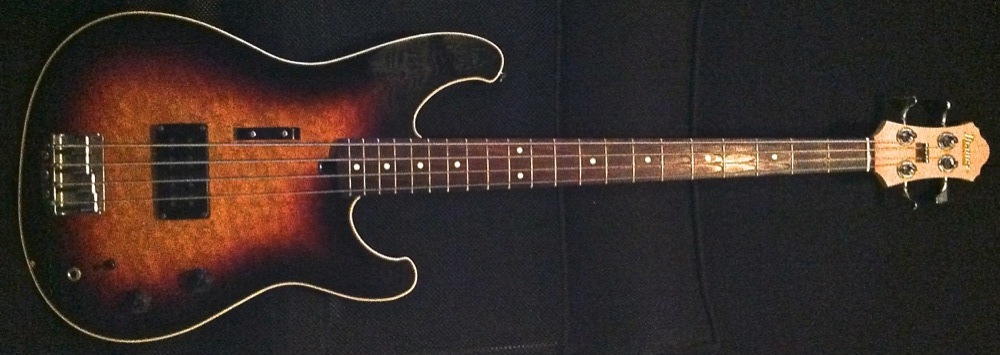
Video: Mean Bass Tone With REAPER Plugins
Video Tutorial: How to get a dirty and mean bass guitar sound using plugins included with REAPER.
-
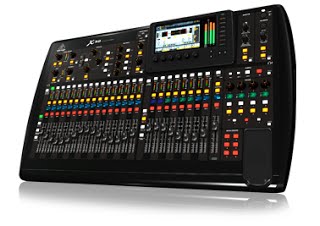
Good news for Behringer X32 users, new utilities for better REAPER compatibility
Patrick-Gilles Maillot has been working on bringing better integration of the Behringer X32 console control surface with REAPER to all. He’s built a set of free utilities for Windows, Mac and Ubuntu that you can try out now, IF you have an X32 console. I made the acquisition of a Behringer X32 standard console for…
-
Video: HOFA CD Burn & DDP Demo
An overview of HOFA CD Burn & DDP software for finalizing a CD master.
-

Video: Mastering Project Setup
This video shows how I set up to master an album in REAPER.
-
Quick Tip: Move and Copy Items Vertically
In this video quick tip I show you how to move items up and down across tracks without losing the time position, using mouse modifiers.